Convert, edit, compress, and enhance your images in seconds with our powerful all-in-one toolkit. No downloads, no sign-ups — just fast, secure, and high-quality results right in your browser.
Image Tools is a complete image transformation ecosystem designed for photographers, designers, web developers, and everyday users. Whether you need to convert between 20+ image formats (AVIF, BMP, DNG, HEIC, JPG, PNG, SVG, WEBP, and more), compress large images for web optimization, resize dimensions, or convert HTML/CSS code to images, our platform delivers lightning-fast performance with bank-grade security. In today's visual-first digital era, handling images should be effortless, not frustrating. That's why Image Tools eliminates complex software installations and provides a clean, browser-based suite that runs on any device — Windows, Mac, Linux, iOS, or Android.
We understand that image privacy is non-negotiable. All file uploads are protected with 256-bit TLS encryption, and automatic deletion from our servers occurs within 60 minutes after processing. No data logging, no third-party access. Your images never get stored permanently or used for AI training. Our infrastructure is built on scalable cloud architecture ensuring 99.9% uptime. With Image Tools, you regain control over your visuals without compromising speed or security. The platform supports batch processing, high-resolution output, and preserves original quality even during complex format conversions.
Convert images to any format imaginable — AVIF, BMP, DNG, HEIC, HEIF, ICO, JFIF, JPG, PAM, PCX, PNG, PPM, SVG, TGA, WBMP, WEBP, and more. Also convert HTML to images, base64 strings, and SVG code. Perfect for cross-platform compatibility and web optimization.
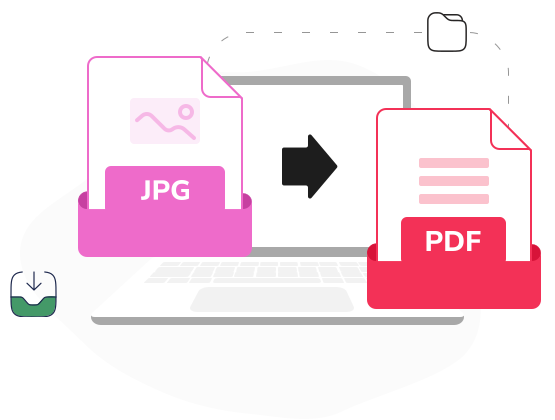
Convert multiple images (JPG, PNG, GIF, BMP) into a single PDF document with customizable page size and orientation. Also extract images from PDF files, preserving original resolution and quality — perfect for creating photo albums or extracting graphics from documents.
Convert HTML, CSS, and SVG code to high-quality images instantly. Generate social media cards, code snippets for presentations, or UI mockups without design tools. Also convert images to base64 strings for embedding in HTML/CSS, and decode base64 back to downloadable images.
The image tool market is crowded with software that's either too slow, too limited, or filled with watermarks. Image Tools differentiates through transparency, raw speed, and a genuine commitment to user control. Our free tier is not a gimmick — you can convert up to 50 images daily, compress up to 100 images, and process image-to-PDF conversions with up to 30 pages. No credit card required, no watermarks on exported images, and no hidden fees. For advanced features like batch processing 1000+ images, priority conversion queues, or API access, our Pro plan unlocks unlimited capabilities. Join thousands of designers, developers, and content creators who trust Image Tools for all their visual workflows.
Image Tools — smart image processing designed for the way you create. No strings attached, just reliable visual magic.
Everything you need to know about our PDF tools. Can't find what you're looking for? Feel free to reach out.
Free users can upload files up to 2GB. Premium subscribers enjoy 5GB limit with faster processing speeds.
Absolutely. All processing happens locally in your browser. We never store or have access to your files.
Yes! Our PWA works fully offline after first visit. Perfect for working on planes or remote locations.
Merge up to 50 PDFs in one go with our batch processing feature. Rearrange pages with live preview.
Never. All free exports are watermark-free. We believe in providing pure, professional tools.
Convert Word, Excel, PowerPoint, JPG, PNG, and TXT files to PDF with perfect formatting preservation.
No daily caps. Use our tools as much as you need, whenever you need them - completely free.
Yes, add password protection and set permissions for printing or editing. All encryption is local.
Premium users get OCR to make scanned documents searchable in 30+ languages with high accuracy.
Yes, our e-signatures comply with ESIGN, UETA, and eIDAS regulations worldwide for legal validity.
Fast & Secure. Award Winning Tools. Experience the full power of PDF Tools with all Pro features.